Almost every industrial 4G router manufacturer lists a row of VPN protocols on its datasheet. For buyers, the hard part is not finding a router that supports VPN, but knowing which protocol to use for a given project. The choice affects security, compatibility with existing head-end equipment, performance on cellular links, reconnection after an IP address change, and how easy the network is to manage at scale.
This article compares the VPN technologies commonly found on industrial 4G routers, explains where each fits, and shows how they are supported across the E-Lins range.
Why VPN Is Not Optional for Industrial Routers
Many industrial protocols, including Modbus in its original form, have no authentication or encryption. A field device reachable through a router’s public address can often be read and controlled by anyone who finds it. Mobile operators also commonly place SIM cards behind carrier-grade NAT, which blocks unsolicited inbound connections. A VPN solves both problems: the router builds an outbound encrypted tunnel to the control centre, and field devices are reached only through that tunnel.
The Protocols Compared
|
Protocol |
Encryption |
Typical role |
Strengths |
Points to watch |
|
IPsec |
Yes |
Site-to-site links to firewalls and VPN gateways |
Widely supported by enterprise and industrial head-end equipment |
Configuration can be complex; needs NAT traversal on cellular links |
|
OpenVPN |
Yes (TLS-based) |
Flexible site-to-site and remote access |
Runs over UDP or TCP, passes many restrictive networks |
Higher overhead than lighter protocols |
|
WireGuard |
Yes |
Lightweight site-to-site and remote access |
Small code base, fast handshakes, reconnects quickly after IP changes |
Newer; check head-end support |
|
L2TP |
Not on its own |
Layer 2 tunnelling, usually combined with IPsec |
Carries Layer 2 traffic; broad legacy support |
Needs IPsec for encryption |
|
GRE |
Not on its own |
Carrying routing protocols and multicast between sites |
Simple, low overhead, flexible |
Needs IPsec for encryption |
|
DMVPN |
Yes, when combined with IPsec |
Large hub-and-spoke networks with dynamic spoke-to-spoke tunnels |
Scales to many sites; spokes connect directly when needed |
Requires compatible head-end design |
|
PPTP |
Weak by modern standards |
Compatibility with older systems |
Very widely supported historically |
Not recommended for new deployments |
When to Use Each
IPsec: when the head-end is an existing firewall
Most enterprise firewalls and VPN gateways terminate IPsec natively. If the control centre already runs such equipment, IPsec is usually the path of least resistance. On cellular links, make sure NAT traversal is enabled, because carrier-grade NAT is common.
OpenVPN: when flexibility matters
OpenVPN can run over TCP, including on commonly allowed ports, which helps where networks block other VPN traffic. It suits mixed environments and remote engineering access.
WireGuard: when links are mobile or change address
WireGuard’s small code base and fast handshakes make it well suited to cellular routers, especially after SIM failover or in vehicles, when the router’s public address changes. A South American gaming equipment manufacturer with 25,000 terminals using E-Lins routers reported that WireGuard encryption is fast with low overhead and significantly improved maintenance efficiency and data security.
L2TP and GRE: as building blocks
Neither provides encryption on its own. L2TP is used where Layer 2 connectivity is required; GRE is used to carry routing protocols or multicast between sites. In both cases, combine them with IPsec for security.
DMVPN: when the network has many sites that talk to each other
In large networks, routing all traffic through one hub is inefficient. DMVPN builds tunnels between spokes on demand, which suits retail chains, utilities, and multi-site enterprises with existing DMVPN head-ends.
PPTP: only for legacy compatibility
PPTP has known security weaknesses and should not be chosen for new deployments. It remains on many router datasheets for compatibility with older systems.
How E-Lins Supports VPN
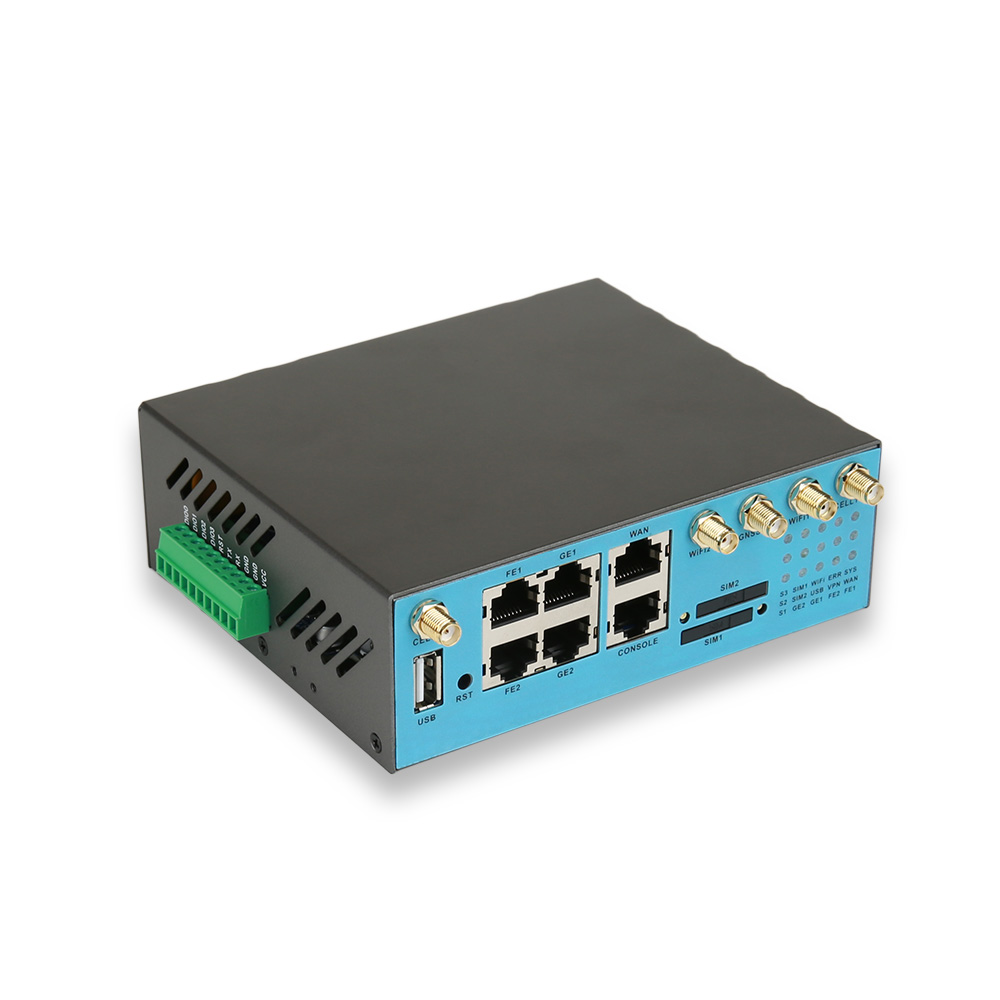
E-Lins routers support WireGuard, IPsec, and OpenVPN, and its router families also list L2TP, GRE, DMVPN, and PPTP, with both VPN client and server functions on many models. APN and VPDN private network support allows operator-provided private networks to be used alongside or instead of VPNs. E-Lins describes its routers as supporting enterprise-grade VPN encryption suites and financial-grade security standards to prevent data interception. The H685t mini embedded 4G router, for example, lists IPsec, L2TP, PPTP, GRE, WireGuard and DMVPN, with a firewall offering NAT, SPI, IP and MAC filtering and DoS protection.
Matching VPN to Common Industrial Scenarios
SCADA polling of remote stations. A stable site-to-site tunnel to the control centre’s firewall, usually IPsec, with the SCADA master polling private addresses. Where routers change address after SIM failover, WireGuard’s quick reconnection is attractive if the head-end supports it.
Video backhaul from camera sites. A protocol with low overhead matters more here, because every byte of overhead reduces usable uplink. WireGuard or IPsec are common choices.
Remote engineering access to PLCs. OpenVPN or WireGuard client access for engineers, restricted to the devices they need, so that no PLC is ever exposed directly.
Multi-site retail or utility networks. DMVPN where the existing head-end design uses it, so branches or stations can reach each other directly without hair-pinning through the hub.
Performance on Cellular Links
Cellular links have higher and more variable latency than fixed lines, and VPN encapsulation reduces the maximum packet size. Two settings deserve attention: the tunnel MTU, which should be low enough to avoid fragmentation on the operator’s network, and keepalive intervals, which should keep the tunnel and any NAT mappings alive without wasting data. Getting these right often makes the difference between a tunnel that drops several times a day and one that runs for months.
Beyond the Protocol: Practical Security Settings
Expose nothing on the cellular interface. Management should be reachable only through the tunnel.
Change default credentials before deployment.
Use certificates or strong keys, not short shared passwords.
Monitor tunnel status centrally. E-Lins routers support SNMP, TR-069, and SSH and work with the E-Lins NMS cloud platform.
Keep firmware current. E-Lins develops its firmware in-house and provides lifetime free upgrades, so security fixes reach installed routers.
Choosing a Manufacturer With the Right VPN Support
When comparing industrial 4G router manufacturers, check three things: that the protocols you need are supported on the exact model, that they have been tested against your head-end, and that the manufacturer maintains the firmware that implements them. Shenzhen E-Lins Technology Co., Ltd. has supplied industrial cellular equipment since its industrial roots in 1999, serves customers in more than 150 countries and regions, and builds its routers on industrial-grade components rated from -35°C to +75°C with 15KV ESD protection. Its 7×24 remote support, with packet capture analysis, is particularly useful when a tunnel misbehaves and the cause has to be found in the traffic itself.
https://e-lins.com/
Shenzhen E-Lins Technology Co., Ltd.